A Pinterest Automation Tool can make Pinterest marketing much easier by helping users plan, create, schedule, and publish content with less manual effort. However, the phrase “create pins automatically” can mean different things. Some tools can automatically generate pin designs from existing content, while others help users create templates, resize images, write descriptions, or schedule prepared pins. 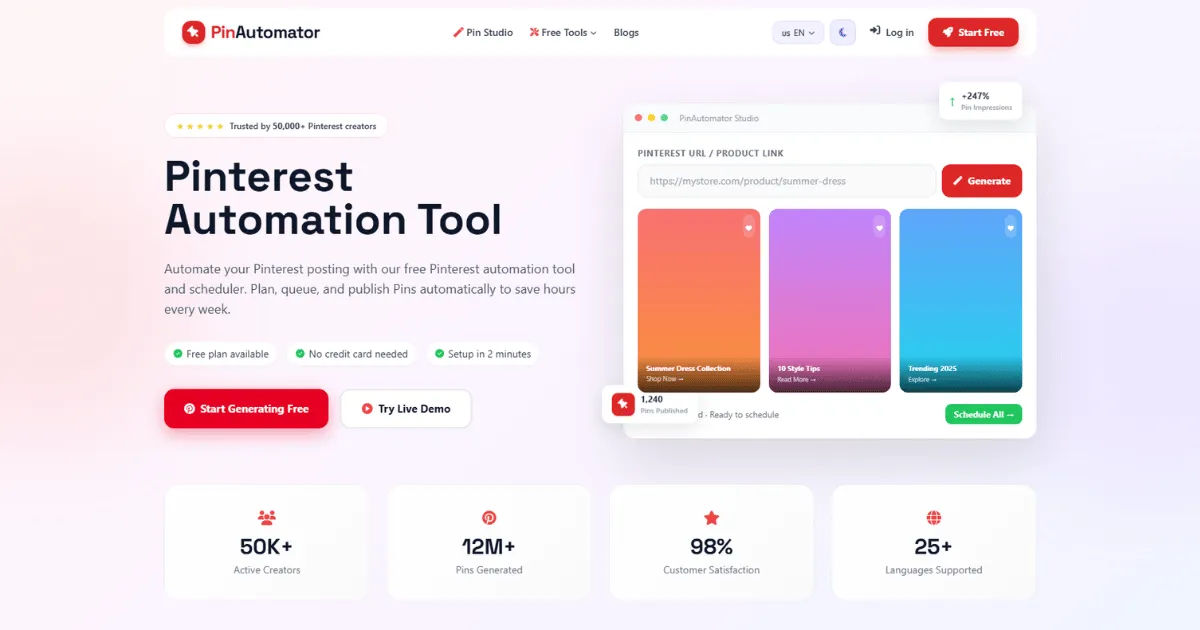
For bloggers, online businesses, affiliate marketers, content creators, and social media managers, automated pin creation can save valuable time. Instead of designing every pin from scratch, users can create a repeatable workflow that turns existing content into multiple Pinterest-ready posts.
Pinterest Automation Tool does not always mean that everything happens without human involvement. The quality of the final pin depends on the features offered by the tool, the content being promoted, and the amount of control the user wants to maintain.
Understanding what automation can and cannot do is important before choosing a solution. A good system should help you work faster while still allowing you to maintain a consistent visual identity, write useful descriptions, and publish content that genuinely serves your audience.
What Does Automated Pin Creation Actually Mean?
Automated pin creation refers to using software to reduce the amount of manual work involved in producing Pinterest content. Instead of opening a design application every time you want to create a new pin, you may be able to use templates, content feeds, bulk creation features, or artificial intelligence to speed up the process.
For example, imagine that you operate a food blog with 100 published recipes. Creating a separate pin for every recipe manually could take a significant amount of time. An automated workflow may allow you to connect your website content, select a design template, and create multiple variations based on your existing posts.
The automation may involve several stages.
First, the system can identify the content you want to promote. This could be a blog post, product page, landing page, video, or another web resource.
Next, it may use an existing image or template to create a visual design. Depending on the software, you might be able to automatically add a title, headline, brand name, or other text.
The tool may then generate or assist with the pin title and description. Some systems use artificial intelligence to suggest text based on the content of the destination page.
Finally, the completed pin can be scheduled for publication.
This means that automation can cover the entire process or only certain parts of it. The level of automation depends heavily on the platform you choose.
Can a Pinterest Automation Tool Design Pins Without Manual Work?
Some automation platforms can create pin designs with very little manual input, but the exact capabilities vary.
Many tools rely on templates. You choose a design that fits your brand, upload your content, and replace certain elements automatically. This approach can be highly efficient because you do not have to design every image from the beginning.
For example, a template might contain a background image, a headline area, and your logo. When you provide a new article title, the system can place that title into the appropriate area.
More advanced systems may also support automatic image selection. If your content includes several images, the software might help you choose a suitable visual for the pin.
Artificial intelligence can take this process further. AI-powered tools may generate design suggestions, write text, summarize articles, or recommend headlines. However, AI-generated designs should still be reviewed before publication.
A machine can produce a visually attractive image that does not accurately represent your content. It may also create text that sounds generic or fails to communicate the most important benefit of clicking the pin.
Therefore, automatic design is best viewed as a productivity feature rather than a complete replacement for human judgment.
How Templates Make Pin Creation Faster
Templates are one of the most useful features for automated Pinterest content creation.
A template gives you a consistent structure that can be reused across multiple pieces of content. Instead of designing a new pin every time, you can create several branded layouts in advance.
For example, a business might have one template for educational articles, another for product promotions, and another for seasonal content.
When a new article is published, the content can be added to the appropriate template.
This saves time while maintaining visual consistency.
Templates also make it easier for teams to collaborate. If multiple people are responsible for Pinterest marketing, everyone can follow the same design standards.
However, using the same template repeatedly without modification can make your content look repetitive. Pinterest users may scroll past designs that appear identical.
For this reason, it is often better to create several templates and rotate them. Changing fonts, layouts, images, and headline placement can help maintain variety while preserving brand recognition.
Can Automation Generate Multiple Pins at Once?
Yes, bulk creation is one of the most valuable capabilities offered by many automation platforms.
Instead of producing one pin at a time, users can prepare multiple pieces of content and process them together.
For example, a blogger may have 20 articles that need Pinterest promotion. A bulk workflow can allow the user to create several visual variations for each article.
This is particularly useful for businesses with large content libraries.
Suppose you publish five blog posts every week. If you create three pin variations for each article, you could quickly have 15 Pinterest posts to schedule.
Without automation, producing this amount of content manually could become time-consuming.
Bulk creation also helps marketers experiment with different designs. You might create three versions of a pin with different headlines while directing all of them to the same article.
Over time, performance data can show which designs and headlines generate stronger results.
The key is to avoid producing low-quality content simply because automation makes it easy to create large quantities. More pins do not automatically mean better results.
Quality, relevance, and consistency still matter.
Can a Pinterest Automation Tool Use Existing Blog Content?
Many automation systems are designed to help marketers repurpose existing content.
This is especially helpful for bloggers and publishers who already have a large amount of useful material.
For example, you may have an article titled “10 Ways to Improve Your Home Office.” Instead of creating one pin and forgetting about the article, you can develop multiple visual angles.
One pin might focus on productivity.
Another might highlight organization.
A third might focus on workspace design.
All three can lead readers to the same article while presenting different reasons to click.
Automation can help organize this repurposing process.
Some tools may allow users to import content through feeds or integrations. Others may require users to enter article details manually.
Once the content is available, the user can create pin designs based on the title, featured image, or selected information.
This approach allows you to get more value from content you have already invested time and money in producing.
How Artificial Intelligence Can Help Create Pins
Artificial intelligence has become an important part of modern content automation.
An AI-enabled platform may assist with several aspects of pin creation.
It can help generate headline ideas, summarize content, suggest descriptions, or create alternative versions of promotional text.
Some systems may also provide design assistance. For example, AI can recommend layouts or help match text with images.
The biggest advantage is speed.
A marketer who would normally spend several hours brainstorming headlines and creating variations may be able to produce a first draft much faster.
However, AI should not be treated as a perfect content creator.
AI-generated text can sometimes sound repetitive. It may also use phrases that are too general or fail to reflect the specific value of the content.
Human editing remains important.
The best approach is usually to let AI handle repetitive tasks while allowing a person to make final decisions.
This combination can improve efficiency without sacrificing authenticity.
Can Automation Write Pin Titles and Descriptions?
Some automation tools can help with writing titles and descriptions, especially when they include AI-powered content features.
This can be useful when marketers have dozens or hundreds of pins to prepare.
Instead of writing every description from scratch, users can start with automatically generated suggestions and then edit them.
A good pin description should clearly explain what the user will find after clicking. It should be relevant to the destination page and written naturally.
Automation should not encourage keyword stuffing or meaningless text.
Pinterest users are looking for useful ideas and information. A description that accurately explains the content is more valuable than one filled with unnecessary keywords.
For example, if your pin promotes a guide about beginner gardening, the description should explain what the reader will learn.
An automated system may generate a starting point, but a human should check whether the description accurately represents the article.
This simple review can significantly improve content quality.
Can Automated Tools Create Unique Pin Variations?
Creating multiple variations is one area where automation can be extremely helpful.
Instead of creating one design for every article, you can produce several versions with different visual elements.
One variation might use a close-up image.
Another might use a lifestyle photograph.
A third might feature a bold text-based design.
The headline can also change.
For example, the same article could be promoted with headlines focused on benefits, tips, mistakes, or beginner advice.
These variations can help you understand what attracts your audience.
However, unique does not necessarily mean completely different.
A strong content strategy often combines consistency with variation. Your brand colors, logo, or visual identity may remain consistent while the individual layouts change.
This makes your content recognizable without making every pin look identical.
What Role Does Scheduling Play in Pin Automation?
Scheduling is closely connected to automated pin creation.
Creating a pin is only one part of Pinterest marketing. You also need to publish it at an appropriate time and maintain a consistent flow of content.
A scheduling system allows you to prepare content in advance.
For example, you could spend one afternoon creating a month's worth of Pinterest content. The pins could then be scheduled to publish according to your content calendar.
This reduces the need to log in every day.
Scheduling is especially valuable for busy creators and marketing teams.
It also encourages consistency.
Instead of publishing five pins one day and nothing for the next two weeks, you can create a steady publishing schedule.
The exact frequency should depend on your strategy and audience. There is no universal number of pins that guarantees success.
The important thing is to maintain a sustainable approach and prioritize useful content.
Can a Pinterest Automation Tool Publish Pins Automatically?
Depending on the platform and its integrations, automated publishing may be possible.
The user typically prepares content in advance and selects dates or times for publication.
The system then handles the publishing process according to the schedule.
This is different from completely automatic content creation.
A tool might automatically publish a pin, but the user may still need to design it manually.
Another system might automatically create a design from a template and then schedule it.
The most advanced workflow combines content generation, design assistance, scheduling, and performance tracking.
However, users should always make sure their automation practices comply with Pinterest's current policies and platform requirements.
Automation should be used to improve productivity, not to create spam or low-quality content.
What Are the Benefits of Automated Pin Creation?
The first major advantage is time savings.
Creating Pinterest content manually can involve researching topics, designing images, writing text, adding links, and scheduling posts.
Automation reduces repetitive work.
The second benefit is consistency.
A structured workflow makes it easier to maintain a regular publishing schedule.
The third advantage is scalability.
A small business can manage more content without necessarily increasing its workload at the same rate.
The fourth benefit is experimentation.
Automation makes it easier to create multiple versions of a pin and compare their performance.
The fifth advantage is organization.
A good system can help marketers manage content calendars, campaigns, templates, and publishing schedules from one place.
These benefits can make Pinterest marketing more manageable, especially for people who are balancing several responsibilities.
Does Automation Reduce the Quality of Pinterest Content?
It can, but it does not have to.
The quality of automated content depends on how the system is used.
If a marketer creates one generic template and automatically applies it to hundreds of articles, the result may look repetitive and uninspiring.
On the other hand, if automation is used to speed up repetitive tasks while a human reviews the final content, quality can remain high.
The goal should be to automate processes, not eliminate creativity.
Automation is particularly good at repetitive activities.
Humans are generally better at understanding context, emotion, originality, and audience preferences.
Combining both strengths is often the most effective approach.
How to Choose the Right Automation Features
Not every user needs the same level of automation.
A beginner may only need simple scheduling and templates.
A growing business may need bulk creation and multiple brand templates.
A marketing agency may require team collaboration, approval workflows, analytics, and support for multiple clients.
Before choosing a platform, consider your actual workflow.
Ask yourself how many pins you create each week.
Consider how many Pinterest accounts you manage.
Think about whether you need AI-generated text.
Determine whether bulk design is important.
Also consider whether you want analytics.
The best tool is not necessarily the one with the largest feature list. It is the one that fits your workflow without adding unnecessary complexity.
Why Human Oversight Still Matters
Even the most sophisticated automation system benefits from human review.
Before publishing a pin, check the spelling.
Make sure the headline is accurate.
Confirm that the destination link works.
Review the image quality.
Check that the design represents your brand.
Make sure the content provides a clear reason for users to click.
These steps may seem simple, but they can prevent avoidable mistakes.
Automation can also occasionally produce unexpected results. Text might be cut off in a design. An image might not fit correctly. A generated description might contain inaccurate information.
A quick review can catch these issues.
Human oversight also protects your brand identity.
Your audience should recognize your content as trustworthy and useful.
Can Automation Help With Pinterest SEO?
Automation can support some aspects of Pinterest SEO, but it cannot replace a thoughtful strategy.
For example, tools can help organize titles and descriptions.
AI can suggest relevant phrases.
Content management systems can make it easier to maintain consistency.
However, successful optimization requires understanding your audience and the topics they search for.
You need to know what questions people are asking.
You also need to create content that actually answers those questions.
Keywords should be used naturally.
Descriptions should be informative rather than artificially stuffed with phrases.
Automation can make the process faster, but the strategy still needs human direction.
How Analytics Improve Automated Pin Strategies
Automation becomes much more powerful when combined with analytics.
Publishing content is only the beginning.
You also need to understand how people respond to it.
Analytics can help identify which pins receive the most impressions, clicks, saves, or other meaningful engagement.
Suppose you notice that pins with clear, benefit-focused headlines consistently perform better than generic designs.
You can use this information to improve future templates.
Similarly, if a particular image style performs poorly, you can reduce its use.
This creates a feedback loop.
You create content.
You publish it.
You analyze the results.
You identify patterns.
You improve your next batch of content.
Over time, automation can make this process faster and more systematic.
Common Mistakes to Avoid With Pin Automation
One common mistake is automating everything without reviewing the results.
Automation should save time, not remove quality control.
Another mistake is publishing too much repetitive content.
Creating multiple variations can be useful, but every pin should have a purpose.
Using low-quality images is another problem.
Automated designs are only as good as the assets used to create them.
Poor photography, blurry graphics, or difficult-to-read text can reduce the effectiveness of a pin.
Another mistake is ignoring the destination page.
A beautiful pin cannot compensate for a confusing or irrelevant landing page.
The pin and the page should deliver a consistent experience.
Finally, avoid relying entirely on automation.
Pinterest marketing still benefits from creativity, research, testing, and genuine understanding of your audience.
Is Fully Automatic Pin Creation the Best Approach?
Fully automatic systems may sound attractive, but they are not always the best choice.
A completely hands-off process can produce content quickly, but speed alone does not guarantee effectiveness.
A better strategy is often semi-automation.
In this model, the software handles repetitive tasks while the user controls important creative and strategic decisions.
For example, the system might create five design variations.
The marketer chooses the two strongest options.
The system then schedules them.
Later, the marketer reviews performance and adjusts the strategy.
This approach balances efficiency with quality.
It also allows you to maintain a stronger connection with your brand and audience.
Who Benefits Most From Automated Pin Creation?
Bloggers are among the biggest beneficiaries.
They often have large libraries of articles that can be promoted repeatedly through different visual approaches.
E-commerce businesses can also benefit.
Products can be organized into campaigns and promoted using templates.
Affiliate marketers may use automation to manage large amounts of content, although they should ensure their promotional practices follow applicable platform rules.
Marketing agencies can benefit from bulk workflows and team collaboration.
Small businesses can also save time by creating content in batches rather than handling Pinterest every day.
In general, automation is most useful for people who have more content to manage than they have time to manually process.
How to Build a Practical Automated Pin Workflow
Start by organizing your content.
Create a list of articles, products, or pages you want to promote.
Next, identify your main content categories.
For each category, create several design templates.
Then prepare headline ideas that communicate clear benefits.
If you use AI assistance, treat generated content as a starting point rather than a final answer.
Create several pin variations for important content.
Review each design before publication.
Schedule the content according to your publishing plan.
Finally, monitor performance and adjust your strategy.
This workflow creates a balance between automation and human involvement.
It also makes your Pinterest marketing process easier to repeat.
What Should You Look for in a Pinterest Automation Tool?
The right features depend on your goals, but several capabilities are particularly valuable.
Look for easy-to-use templates.
Bulk creation can save significant time if you manage a large content library.
Scheduling is essential for consistent publishing.
AI assistance may be useful for generating text and creative ideas.
Analytics help you understand performance.
Integrations can make it easier to connect your website or content management system.
Team collaboration features are important for agencies and larger organizations.
Brand controls can help maintain consistency across all designs.
You should also consider the learning curve.
A platform with dozens of advanced features may not be useful if it is too complicated to operate efficiently.
The best solution should simplify your workflow rather than create additional work.
Can Automation Replace a Pinterest Marketing Strategy?
No.
Automation is a tool, not a complete strategy.
You still need to understand your audience.
You need to create useful content.
You need to develop attractive visual concepts.
You need to understand what topics are relevant to your niche.
You also need to monitor results.
Automation can execute parts of your strategy, but it cannot automatically determine what your audience truly values in every situation.
Even AI tools need good instructions and quality source material.
A strong Pinterest presence is built through a combination of content quality, visual communication, consistency, optimization, and analysis.
Automation simply makes many of these activities easier to manage.
How Small Businesses Can Use Automated Pin Creation
Small businesses often operate with limited time and marketing resources.
For them, automation can provide a practical way to maintain an active Pinterest presence.
A local business might create templates for educational content, seasonal promotions, product announcements, and customer tips.
Once these templates are established, new content can be produced more quickly.
For example, a home decor company could create a series of templates for room inspiration, product features, design tips, and seasonal trends.
The company can then reuse these structures while changing the images and messaging.
This approach creates a consistent brand identity without requiring a designer to start from scratch every time.
How Bloggers Can Scale Pinterest Content
Bloggers often have hundreds of articles that remain valuable long after publication.
Automation can help bring older content back into the content cycle.
Instead of promoting an article only once, bloggers can create several visually different pins over time.
Each variation can highlight a different aspect of the article.
For example, a travel article could have one pin focused on destinations, another on budgeting, and another on travel tips.
This gives the article multiple opportunities to attract attention.
The key is to ensure that each pin remains relevant and accurately represents the underlying content.
How Agencies Can Use Automation
Marketing agencies often manage content for multiple clients.
Automation can make it easier to organize campaigns across different brands.
Each client can have separate templates, brand guidelines, content calendars, and approval processes.
This reduces the risk of mixing assets or publishing the wrong content.
Agencies can also use automation to streamline repetitive tasks.
For example, a team member might prepare content while another person reviews designs.
Once approved, the system can handle scheduling.
This creates a more organized workflow and allows teams to focus more time on strategy and creative development.
The Future of Automated Pin Creation
The future of Pinterest automation is likely to involve more artificial intelligence and deeper integration between content creation and publishing.
AI systems may become better at understanding the context of articles and products.
They may be able to recommend stronger headlines, identify appropriate images, and create more personalized designs.
Automation may also become more responsive to performance data.
Instead of simply publishing scheduled content, future systems could help marketers identify which content themes deserve more attention.
However, human creativity will remain important.
Audiences respond to content that feels relevant, useful, and authentic.
Technology can accelerate production, but people still need to define the message and understand the audience.
The strongest systems will likely be those that combine automation with human creativity rather than trying to eliminate human involvement completely.
Is a Pinterest Automation Tool Worth Using?
For many users, the answer is yes.
If you regularly create Pinterest content, an automated workflow can save time and reduce repetitive work.
The value becomes even greater when you manage multiple content categories or publish frequently.
However, the tool should support your strategy rather than become the strategy itself.
Before investing in software, identify the tasks that consume the most time.
If design is the biggest challenge, prioritize templates and bulk creation.
If scheduling is difficult, look for strong publishing features.
If writing descriptions takes too long, consider AI-assisted text generation.
If you struggle to understand performance, choose a solution with useful analytics.
This approach ensures that you select features based on real needs.
Conclusion
A Pinterest Automation Tool can create pins automatically to varying degrees, depending on the software and workflow being used. Some platforms focus primarily on scheduling, while others can assist with design, templates, bulk creation, AI-generated text, content repurposing, and automated publishing.
The most important point is that automation does not necessarily mean complete hands-free content creation. In many cases, the user still provides the original content, chooses a template, reviews the design, and approves the final result. The software simply reduces repetitive tasks and makes the entire process faster.
For bloggers, businesses, creators, and agencies, automated pin creation can provide significant benefits. It can help transform existing content into multiple visual assets, maintain a consistent publishing schedule, and make it easier to test different creative approaches.
However, successful automation requires balance. Creating a large number of low-quality pins will not automatically produce better results. Strong visuals, accurate descriptions, useful content, relevant messaging, and a clear understanding of the audience remain essential.
The best approach is to automate repetitive tasks while keeping humans involved in strategy and quality control. Templates can handle design consistency, bulk tools can speed up production, AI can assist with ideas and text, and scheduling can maintain regular publishing. Analytics can then show what is working and help improve future campaigns.
Ultimately, the question is not simply whether a Pinterest Automation Tool can create pins automatically. The more important question is whether it can help you create useful, attractive, relevant, and strategically planned pins more efficiently. When automation is combined with human creativity and careful review, it can become a powerful part of a sustainable Pinterest marketing workflow.
About the Author