Mobile gaming has become one of the most popular ways to enjoy entertainment, compete with friends, and spend free time. Modern smartphones can run visually impressive games, support online multiplayer sessions, and deliver experiences that were once limited to computers and gaming consoles. However, even powerful smartphones can experience lag, freezing, overheating, and unexpected performance drops. One possible reason is the number of applications running in the background.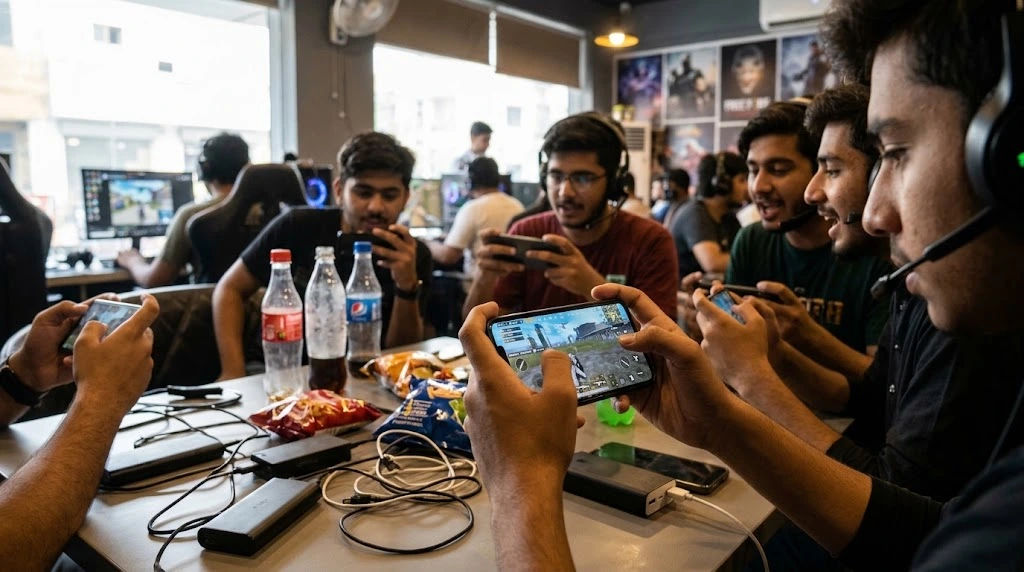
Background applications perform different tasks while users are actively doing something else on their phones. These tasks may include checking notifications, downloading updates, synchronising files, refreshing social media feeds, and maintaining internet connections. Although these activities are useful, they can consume valuable system resources.
Understanding how background applications affect Mobile App Gaming can help players enjoy smoother gameplay and avoid unnecessary performance problems. The good news is that many of these issues can be reduced through simple smartphone settings and better application management.
Background Apps on Smartphones
Background apps are applications that continue performing certain activities even when they are not visible on the screen. For example, a messaging application may receive new messages while a user is playing a game.
Similarly, cloud storage applications can synchronise photographs, email applications can download new messages, and social media platforms can refresh their content.
These activities happen without requiring users to open each application manually.
Why Do Apps Run in the Background?
Smartphone applications use background processes to provide convenient services. Some common examples include:
-
Messaging applications receiving notifications.
-
Email applications checking for new messages.
-
Music applications playing audio.
-
Navigation applications updating locations.
-
Cloud services synchronising files.
-
Social media applications refreshing feeds.
-
Security applications monitoring potential threats.
These functions improve convenience, but they also require processing power, memory, battery capacity, and sometimes internet bandwidth.
When several applications perform these activities simultaneously, the smartphone may have fewer resources available for demanding games.
Are All Background Apps Harmful?
No. Background applications do not automatically create performance problems.
Modern smartphones use operating systems that manage memory and processing resources intelligently. Applications that are not actively needed may be paused, restricted, or removed from memory.
However, applications that continuously perform demanding tasks can affect gaming performance.
The impact depends on the smartphone's hardware, operating system, application behaviour, and the requirements of the game being played.
How Background Apps Affect Mobile Gaming Performance
Background applications can influence several important parts of smartphone performance. Understanding these effects makes it easier to identify why a game becomes slower during certain situations.
1. Increased RAM Usage
Random Access Memory, commonly known as RAM, temporarily stores information required by active applications.
Games use RAM to load textures, character models, maps, animations, and other important resources.
Mobile App Gaming pkr98 background applications occupy memory, the operating system has less available RAM for the game.
This can create several problems:
-
Longer loading times.
-
Unexpected application reloads.
-
Reduced responsiveness.
-
Occasional freezing.
-
Difficulty switching between applications.
For example, a smartphone with limited RAM may struggle to run a demanding racing game while several social media and messaging applications remain active.
Some operating systems automatically close less important processes when memory becomes limited. However, this does not always prevent interruptions.
2. Increased CPU Usage
The Central Processing Unit (CPU) handles instructions and calculations required by smartphone applications.
Games depend on CPU performance for physics calculations, artificial intelligence, character movements, and various gameplay operations.
Background applications can also require CPU resources.
A file download, antivirus scan, or application update may use processing power while a game is running.
When several demanding tasks compete for the CPU, the game may receive fewer resources.
Players might notice delayed responses, inconsistent frame rates, or temporary stuttering.
3. Higher Battery Consumption
Background applications can consume battery power through network communication, location tracking, notifications, and processing activities.
During demanding gaming sessions, the smartphone already requires significant energy.
Additional background activity can increase overall power consumption.
This becomes especially noticeable when players use high screen brightness, maximum graphics settings, or mobile data.
A faster battery drain may also encourage users to activate battery-saving features, which can reduce performance on some devices.
4. Increased Device Temperature
Smartphones generate heat when their processors, graphics units, batteries, and other components work continuously.
Running a demanding game alongside several active background applications can increase the overall workload.
As temperatures rise, some smartphones reduce processor speeds to protect internal components.
This process is called thermal throttling.
Thermal throttling can lead to lower frame rates, slower responses, and inconsistent performance.
Therefore, reducing unnecessary background activity may help control heat during extended gaming sessions.
Can Background Apps Affect Internet Connection During Gaming?
Yes. Background applications can affect online gaming, particularly when several services use the internet simultaneously.
Online games require a stable connection to communicate with game servers. Background applications may compete for available bandwidth.
Downloads and Automatic Updates
Large downloads can consume considerable internet bandwidth.
For example, downloading a video, updating an application, or synchronising large files may compete with an online multiplayer game.
This can increase latency and make gameplay less responsive.
Players may experience delayed movements, interrupted connections, or difficulty competing in real-time matches.
Cloud Synchronisation
Cloud services frequently upload and download information.
Although individual synchronisation activities may consume limited bandwidth, several simultaneous transfers can create unnecessary network activity.
Pausing large synchronisation tasks during gaming can help maintain a more stable connection.
Notifications and Messaging Services
Messaging applications regularly communicate with online servers.
Most notification requests use very little bandwidth, so they rarely cause significant problems individually.
However, applications performing continuous media downloads, video calls, or automatic backups can create more noticeable interference.
Which Background Apps Should You Close Before Gaming?
Not every application needs to be closed before starting a game. The best approach is to identify applications that consume unnecessary resources.
Social Media Applications
Social media applications may refresh feeds, preload videos, download media, and check for notifications.
These activities can consume memory, battery, and network resources.
If you do not need social media notifications during a gaming session, restricting background activity may improve resource availability.
Video Streaming Applications
Video streaming applications can consume considerable bandwidth when actively playing content.
Some applications also continue audio playback when users switch to another screen.
Stopping unnecessary streaming activities can help prevent network competition.
Cloud Storage Applications
Cloud storage services may automatically upload photographs, videos, and documents.
Large transfers can affect internet performance, especially when using a limited connection.
Consider pausing synchronisation until your gaming session ends.
Automatic Download Applications
Application stores and system services sometimes download updates automatically.
Large downloads may compete with online games for network resources.
Where appropriate, schedule automatic updates for a time when the phone is not being used for gaming.
Unnecessary Utility Applications
Some utility applications continuously monitor device information or perform background scans.
Although security and maintenance applications can be useful, unnecessary duplicate services may consume additional resources.
Keep essential security protection enabled while reviewing applications that perform repetitive tasks.
How to Stop Background Apps From Slowing Mobile Gaming
There are several practical methods for reducing unnecessary background activity.
The exact settings depend on the smartphone manufacturer and operating system.
1. Close Unnecessary Applications
Before launching a demanding game, review the applications currently running.
Close applications that are performing unnecessary tasks, especially video streaming, large downloads, and resource-intensive activities.
However, avoid repeatedly closing every application.
Modern smartphone operating systems already manage background memory. Constantly forcing applications to close and reopen can sometimes consume additional resources.
Focus on applications that are actively creating a workload.
2. Enable Gaming Mode
Many smartphones include dedicated gaming features.
These features may provide options such as:
-
Restricting selected notifications.
-
Prioritising gaming performance.
-
Managing background processes.
-
Monitoring device temperature.
-
Blocking accidental gestures.
-
Optimising network behaviour.
Gaming modes can improve convenience and reduce interruptions.
Some devices also offer performance profiles that allow users to choose between balanced operation and higher performance.
Check your smartphone's gaming settings to understand which features are available.
3. Disable Unnecessary Background Refresh
Background refresh allows applications to update information when they are not being actively used.
Although useful, this feature is not necessary for every application.
Review application permissions and disable background refresh for services that do not need constant updates.
For example, a shopping application may not require frequent background activity.
Keep background functions enabled for applications that provide important services.
4. Pause Large Downloads
Avoid downloading large files while playing demanding online games.
If an application update or cloud backup starts automatically, consider pausing it until your gaming session finishes.
This is particularly helpful when using slower mobile networks or shared Wi-Fi connections.
5. Use Battery Settings Carefully
Battery optimisation features can restrict background activity and reduce unnecessary energy consumption.
However, aggressive battery-saving modes may also limit game performance.
If a game feels unusually slow, check whether battery saver is enabled.
Choose a balanced performance setting when playing demanding titles, provided the device remains within safe operating temperatures.
6. Restart Your Smartphone
Restarting a smartphone can resolve temporary software problems and stop certain processes from behaving incorrectly.
It also provides a fresh start for applications and system services.
If your phone regularly becomes slow after extended use, restarting it may help restore normal performance.
However, restarting is not a permanent solution for applications that continuously consume excessive resources.
Android and iPhone: Managing Background Apps
Android and iOS manage background applications differently. Understanding these differences can help users select appropriate settings.
Managing Background Apps on Android
Android smartphones offer different background management options depending on the manufacturer.
Users can generally review application battery usage and identify which services consume significant resources.
Useful settings may include:
-
Background usage restrictions.
-
Battery optimisation.
-
Application permissions.
-
Gaming performance modes.
-
Automatic update preferences.
-
Data usage controls.
Some Android devices also allow users to restrict applications that consume excessive battery power.
Avoid restricting essential system services because doing so may interfere with normal smartphone functions.
Managing Background Apps on iPhone
iPhones include features that control how applications refresh content when they are not actively open.
Users can review Background App Refresh settings and disable the feature for selected applications.
Low Power Mode can also reduce background activity, although it may affect certain performance-related functions.
For demanding games, users should understand how these settings influence their device rather than assuming that every restriction improves performance.
Signs That Background Apps Are Affecting Your Game
Identifying the difference between background-related problems and other technical issues is important.
Several warning signs can suggest that unnecessary applications are affecting gameplay.
Sudden Frame Rate Drops
If a game runs smoothly but suddenly becomes less responsive when another application starts working, background resource usage may be involved.
For example, an automatic download may coincide with temporary gameplay stuttering.
Frequent Game Reloading
When available memory becomes limited, the operating system may remove inactive applications from memory.
Switching between a game and another application may therefore cause one or both applications to reload.
This can indicate memory pressure.
Unexpected Overheating
A smartphone that becomes unusually warm during normal gameplay may be performing unnecessary background tasks.
However, high temperatures can also result from demanding graphics, environmental heat, charging, or poor ventilation.
Battery Draining Quickly
Unusual battery consumption may indicate that multiple applications are performing background activities.
Checking battery usage statistics can help identify which applications consume the most energy.
Other Factors That Can Make Mobile Gaming Slow
Background applications are only one possible cause of poor performance.
Players should also consider other technical factors before making major changes to their smartphones.
Limited Hardware Capabilities
Older smartphones may struggle with modern games because of slower processors, weaker graphics hardware, or limited memory.
Closing background applications can help, but it cannot completely overcome hardware limitations.
Insufficient Storage Space
Games often require free storage space for updates, temporary files, and additional content.
When available storage becomes extremely limited, some smartphone functions may become less responsive.
Removing unnecessary files and unused applications can help maintain normal operation.
Outdated Software
Operating system and game updates may include performance improvements, security fixes, and compatibility changes.
Using outdated software can sometimes create avoidable problems.
However, updates should be installed carefully, particularly when a device has limited storage or an unreliable internet connection.
Poor Internet Connectivity
Online gaming depends on stable network communication.
Weak Wi-Fi signals, mobile network congestion, and high latency can cause lag even when the smartphone itself performs perfectly.
Testing another network can help determine whether the problem is related to connectivity rather than background applications.
Best Practices for Smooth Mobile Gaming
Maintaining good smartphone habits can reduce performance problems over time.
Consider following these practical recommendations:
-
Close applications that perform unnecessary downloads or streaming.
-
Keep sufficient free storage available.
-
Update games and operating systems when appropriate.
-
Restrict unnecessary background refresh.
-
Use gaming mode when available.
-
Avoid playing demanding games while the smartphone is overheating.
-
Maintain a stable internet connection.
-
Review battery and application usage regularly.
-
Avoid installing unknown performance-boosting applications.
-
Restart the device occasionally when persistent slowdowns occur.
These habits help create a more suitable environment for demanding games.
Should You Use RAM Cleaner Applications?
Many applications advertise the ability to boost gaming performance by clearing memory.
However, these tools are not always necessary.
Modern operating systems already manage memory automatically. Some cleaner applications may repeatedly terminate processes that the system needs, causing them to restart and consume additional resources.
Instead of relying on aggressive memory-cleaning tools, use built-in smartphone settings to manage background activity.
This approach is generally more reliable and reduces the risk of installing unnecessary software.
When Should You Consider Professional Assistance?
If gaming problems continue after restricting unnecessary background activity, the issue may involve something more serious.
Persistent overheating, unexpected shutdowns, repeated crashes, or unusually slow performance can indicate software or hardware problems.
Start by checking system updates, available storage, application compatibility, and battery condition.
If the smartphone continues experiencing problems across multiple applications, professional technical assistance may be appropriate.
Avoid performing a factory reset without backing up important information.
A technician can help identify whether the problem involves the battery, internal storage, processor, operating system, or another component.
Conclusion
Background applications can slow smartphone gaming, but the extent of their impact depends on the device, the applications involved, and the demands of the game.
Applications that continuously use RAM, CPU resources, battery power, or internet bandwidth can compete with games for important system resources. This may result in lower frame rates, delayed responses, overheating, longer loading times, and unexpected interruptions.
Fortunately, managing background activity does not require complicated technical knowledge. Closing unnecessary downloads, restricting background refresh, controlling automatic updates, and using built-in gaming modes can help improve the overall experience.
It is equally important to remember that background applications are not always responsible for poor performance. Limited hardware, insufficient storage, outdated software, and unstable internet connections can create similar symptoms.
The most effective approach is to identify the actual cause before changing important smartphone settings. Users should avoid disabling essential services or installing questionable performance-boosting applications.
With sensible application management and regular device maintenance, Mobile App Gaming can become smoother, more responsive, and more enjoyable. A smartphone does not need every background application completely disabled to perform well. It simply needs enough available resources to handle the game efficiently.
Ultimately, understanding how background applications work allows players to make smarter decisions, protect their devices, and enjoy more consistent gaming sessions.
About the Author